 MMDFr.fr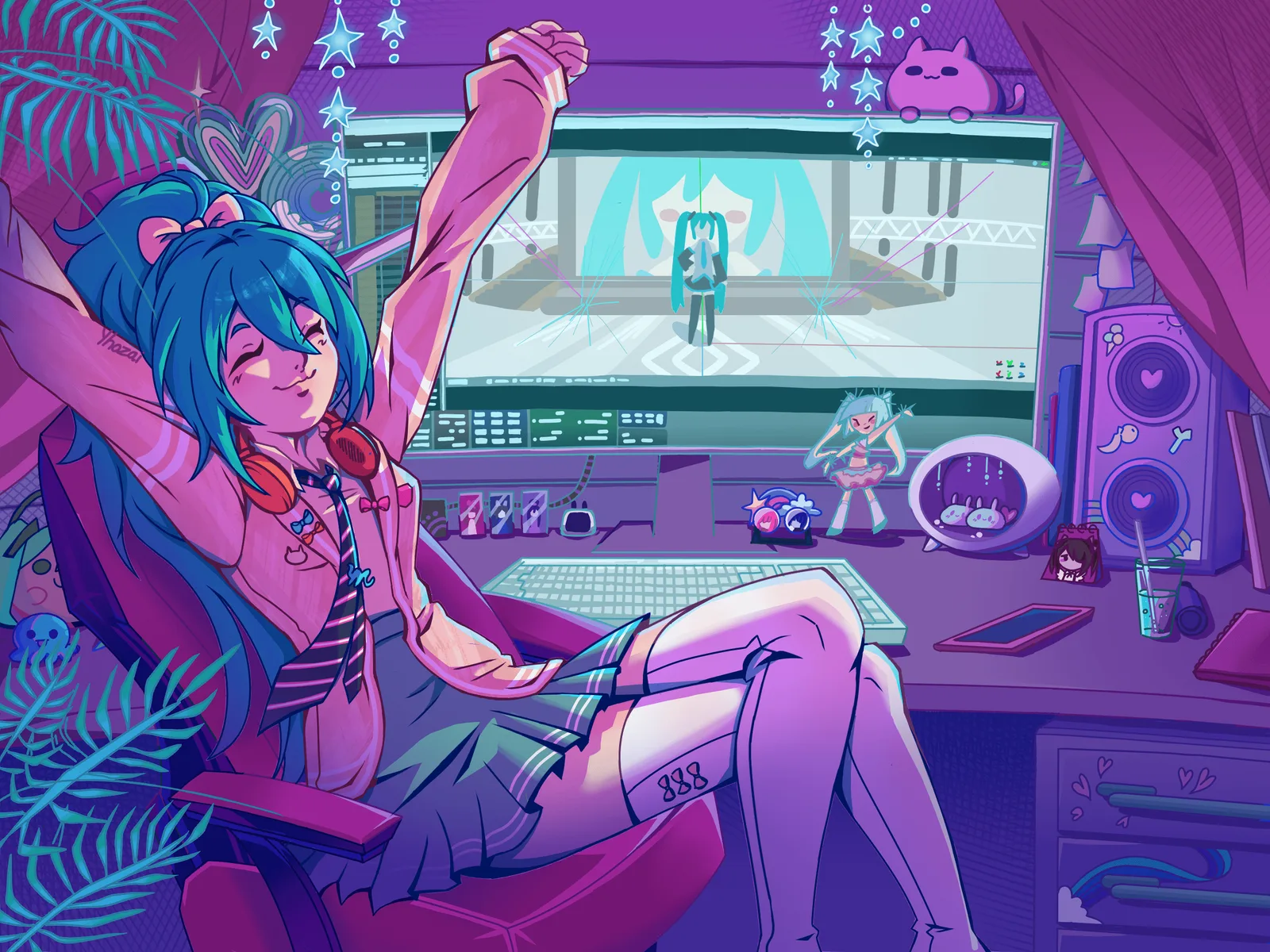
The MMDer's Guide to the Credits: Don't Panic!
Art by @Yhozai
August 10, 2026
Introduction: Why All This Fuss?
You know those long lists of names that scroll up at the end of a movie? The director, the actors, the camera crew, the special effects team – everyone who worked on the film.
In MMD, we have the same thing! They're called credits, and you'll find them in the description of almost every MMD video.
But unlike Hollywood, where credits are mandatory, in MMD we add them out of respect and gratitude. Every single person on that list contributed something to make your video possible – a model, a stage, an effect, an animation. Without them, you'd have nothing.
So credits aren't optional – they're the golden rule of MMD. Your video isn't complete without them. Period.
Let's break it all down, step by step!
The 5 Reasons to Credit (or: Why It's So Important)
Now that you know what credits are, let's talk about why they matter so much. Here's why you never skip this step:
1. Respect Above All 🫶
People spent hours (sometimes months!) programming, 3D modeling, drawing textures, rigging (putting in the bones), or animating. They did all of this for free, for the love of it. Their only reward is your recognition. By crediting them, you're saying "Thank you, your work matters." Not doing it sends a very negative message: "I'm stealing your work and I don't care." Like an AI. Ouch.
2. Being Part of the Community 🤝
Crediting others shows you understand and respect the unwritten rules of the MMD community. It's a sign of belonging. Think of it like a club – everyone follows the same code of honor.
3. Sharing and Discovering 🗺️
Credits are also a treasure map for other creators! A beginner might see "KiraKira Effect by Someone" and think, "Hey, I'll go look for that effect, it looks cool!" You're basically helping others discover awesome stuff.
4. Building Reputation 🌟
This is the real currency in the world of free MMD. By citing someone, you help them get noticed. And who knows? One day, someone might credit YOU for your work!
5. Honesty 💪
If you forgot to credit someone in a hurry (it happens to everyone – we've all been there!), it's not the end of the world. Just fix it as soon as possible by updating your video description. A quick edit shows you care.
The Concrete Example: The Base Template
Here's what a near-well-made credits section looks like in your YouTube video description.
If you make 30% of this template, you're already god-tier.
------- Credits -------
Director: YourName       ( don't forget yourself )
Editing: LisaTheEditor   ( your team in first !!! )
Sound Editing: ElfinGrandeOreille
Color Grading: AlfredTheEagleEye
Production Secretary (Credit Coordinator): NicoleTheNerd

------ Music -----
(only if you are the creator of the music/song)
Original music: 'A la volette 2' by YourArtistName
( Only if you love this indie artist )
'Song Title' by MyFavoriteIndieArtist

------ Models -----
'Michou, Eleanor, Puce & Jade' by MMDfr
'Hu Tao' from Genshin Impact © Mihoyo
'Heiva' by me, Tda base, Dress by Creator1, Head by Creator2, Hair by Creator3.
'NezRouge' customized by me, base by RiaRiiRii, outfit by me

------ Motions -----
Original motion by Me (Your Artist Name) - hand traced/motion capture
Michou's motion: 'MotionName' by MotionCreator
Camera motion by CameraMotionCreator
Choreography: 'Dance Name' by ChoreographerName / DanceGroupName
Motion traced/captured from choreography 'xxx' by ChoreographerName

------ Stage & Accessories -----
Stage 'StageName' by StageCreatorName
Neon & Screen by MMDfr
Background video by VideoCreatorName

------ Effects (MME) -----
KiraKira by ビームマンP (BeammanP)
PowerDOF, WorkingFloorX by 針金P (HariganeP)
Autoluminous4 by そぼろ (Soboro)
KiraKira, PowerDOF, WorkingFloorX, Autoluminous4, Ray-MMD
Croquis by データP (Elle)

------ Programs -----
MikuMikuDance by 樋口優 (Yu Higuchi), MMEffect by 舞力介入P,
MMDStart & MikuVideo by MMDfr   ( yes you can )
Edit with Krita, Gimp, Audacity, Blender, MMD plugins

--- End of credits ---
If you're a young beginner artist, you've already consumed your reading quota.
The headache is close, your thumb is having spasms from all that scrolling, and your eyes are starting to cross.
You need sugar and social media. DO NOT GO FURTHER. Just read the paragraph below.
Find a friend – not necessarily an artist – who will enjoy doing this. The top student in your class, for example. (Girls are the best at this.) Ask them to help you. You need a partner who reads/writes in English, understands the subtleties of credits, citations, copyright – someone smart.
This person needs to be meticulous, precise, and detail-oriented -- an atypical profile for an artist.
Their reward? The eternal glory of being credited in a YouTube video.
Found this guide helpful? Show your support with a heart [ ] — and happy MMD-ing!
You've been warned. Beyond this line, you must read everything, including the 42-page document mentioned at the end. Farewell.
The Core List: What You Need to Credit (in Order of Importance)
Let's keep it clear. Here's everything you should credit, from the most "visible" to the most "technical":
You and Your Team – No One Will Do It for You
Yes, you. The most important person. If you didn't have the willpower, motivation, and time to dedicate to this work, it wouldn't exist. So thank yourself – you deserve it. In some countries, people pat themselves on the back for a job well done.
If you did it with a group of friends, do the same and highlight them and their skills or work. Ask them what they'd like to see as their username/alias.
Never use your real name – that's obvious these days. Same goes for your friends.
The Special Case of Music (It's Simpler Than You Think)
-
If YOU created the music: Put yourself in the spotlight! It's your work.
Original music: 'My Song Title' by Me (Your Artist Name)
-
If you're using an existing song (by a famous artist, band, etc.):
- Tip: Don't put anything. YouTube is a super-efficient robot. It will detect the music automatically and add the credits itself in the description. It will also take all the ad revenue and give it to the rights holders (who will never thank you anyway). No need to stress about it. (More on this at the end of the article.)
- Exception: If it's an indie artist you absolutely love, feel free to credit them! It always makes them happy. Example:
Music: 'Song Title' by MyFavoriteIndieArtist.
Obviously, If the rights holder offers you a revenue-sharing deal, for this free advertising that brings them money and saves their advertising budget, once the agreement is made, add the links they provide.
For other platforms, the rules can be very different. Check the rules in your country/platform.
The Models (Characters)
They're the stars of your video. This is the most important part.
-
Simple model:
Character X by CreatorName. -
"Edit" Model (assembled): If you took pieces from different models to create your character (e.g., the dress from one, the head from another), you must cite each piece.
- Example:
MyCharacter: bodyBase by Tda and xxx, Dress by Creator1, Head by Creator2, Hair by Creator3.
- Example:
-
Licensed Characters (Vocaloid, Genshin, etc.): These characters belong to companies. You must follow their rules.
- Example for Genshin Impact (usually simple):
'Hu Tao' from Genshin Impact © Mihoyo. - Example for Vocaloids: Check the official site (like Piapro) to know the exact rule, as it changes if you're in Japan or not.
- Example for Genshin Impact (usually simple):
Yes, for characters like Vocaloids, the rules can sometimes be a real headache (and that's probably why we see fewer of them these days). But for others, like Genshin Impact, it's much simpler. The golden rule is: Do your research. Read the "Readme" file, the PMX description (in English or Japanese), or the download page for the model. The crediting instructions are often written right there.
The Motion (Animation)
This is one of the most important parts to credit, since animations take hours (or even weeks!) to create.
- Motion made by you:
Original motion by Me (Your Artist Name) - Someone else's motion:
Motion: 'MotionName' by AnimatorName- (And if you paid an animator, credit them too! They worked hard, and they're artisans. I haven't seen any driving Ferraris yet!)
Be honest about how the motion was created: It's good practice to specify the type of motion you're using. This shows respect for the work involved and helps other creators understand the process.
-
Motion trace by hand (手付け): This means the animator posed every single frame by hand, keyframe by keyframe. This is the most time-consuming and skillful method – it can take dozens of hours to master. Most MMDers who do this are passionate creators just like you. Give them the recognition they deserve!
Motion: 'Dance Routine' by AnimatorName (hand-traced)
-
Motion capture (モーションキャプチャ): The motion was recorded from a real performer using motion capture technology.
Motion: 'Dance Routine' by AnimatorName (motion capture)- (Sometimes the clean-up work takes as long as hand-tracing, but it's much less fun.)
-
AI generated motion: The motion was generated using artificial intelligence tools.
Motion: 'Dance Routine' by AnimatorName (AI generated)- (
This will exist in a few weeks/months..., This is already starting to appear...)
Don't forget the choreographer!
If the motion was traced or captured from a choreography created by a dancer or a dance group, you should credit them too. The animator brought the motion to MMD, but the choreographer created the original dance!
Choreography: 'Dance Name' by ChoreographerName / DanceGroupNameMotion traced from choreography by ChoreographerName
Camera motion (Camera animation): Camera motions are often created by a different artist than the character motion. Don't forget to credit them separately!
Camera motion: 'CameraMotionName' by CameraArtistName- If you made the camera motion yourself (like in FirstMMD, but better):
Original camera motion by Me (Your Artist Name)
Stage Elements (Stages, Accessories)
Don't underestimate the work behind a good stage! These 3D environments take hours of modeling, texturing, and lighting to create. Always credit the stage creator – they deserve it.
(By the way, if you're using my shoe box stage, feel free to skip the credit. I won't be mad. Seriously. 😂)
Stage: 'StageName' by CreatorNameStage: 'BoiteChaussure' by MMDfrBackground video: 'Animated Neons' by CreatorName(this is a stage element – I showed you how to make it with MikuVideo)
The Effects (MME - MikuMikuEffect)
Don't forget any visual effect you used! It helps beginners find them.
KiraKira by ビームマンP (BeammanP)PowerDOF, WorkingFloorX by 針金P (HariganeP)Autoluminous4 by そぼろ (Soboro)KiraKira, PowerDOF, WorkingFloorX, Autoluminous4, Ray-MMDNote *1Croquis_v012 by データP (Elle)Note *2
Note *1 : For well-known MMEffect creators, we can simply put the name of the effect. But who are the "well-known" ones? The ones you found very easily as a beginner. So …
When in doubt, include both the Japanese name and the romanized name they chose. Check the Japanese names section below.
Note *2 : the version number ‘_v012’ will help a lot to find this MME and help beginners.
The Programs
The main ones are in the template.
But what about PMXEditor?
The rule is simple:
If you're a beginner and not selling PMX assets → Yes, credit PMXEditor! This applies to 99% of beginners. You're using it to learn and create, not to make money. Go ahead and add it.
If you're selling models, stages, or PMX accessories → The PMXEditor license prohibits commercial use without permission. You might want to reconsider mentioning it and using it.
Bottom line: For most MMDers who just make videos for fun – credit PMXEditor. It's honest, it's respectful, and it's the right thing to do.
PMXEditor by 極北P (GokuhokuP)
What if I used 'Ladobe photoBoutique' or 'LeSuperProgram'? You paid for them, so they're already rewarded. If you're using an outsourced version, be vague.
If it's the free version of a product or open-source software, and you want to show that you've trained yourself to master it, go ahead – anything positive about you is worth using.
- Example:
Video Editing on 'DaVinci Resolve' (c) Blackmagic Design - Example:
Video Editing on 'Blender 5' by Blender Foundation
The Rule About Names (and Those Tricky Japanese Characters)
Creators are often Japanese (or Chinese) and have usernames that are hard to type.
Most of the time, they provide a romanized version (in Latin characters) to make our lives easier. Use that version. If you want to go the extra mile, you can copy/paste their original name and include both: OriginalName (RomanizedName).
But be careful: the romanized version isn't necessarily a translation. As a general rule, don't translate usernames – the translation can sometimes be "weird."
Often, a Readme file accompanies the MME or the model. Sometimes it's in the PMX description of the model.
Obviously, in the West, you need to open these files with a "multi-purpose" editor, ready to handle Japanese Shift-JIS encoding (which hasn't been used for ages, normally...). Use Notepad++ as your editor – never the one from PetitSoft.
For models, there's often a code to find... It's meant to sharpen your mind and increase your zenitude level. In any case, don't share the code.
Link or No Link?
We're tempted to add a link to the model's page or the animator's site.
For YouTube and most social networks, they hate it when users leave for the competition – even if they'll swear with their hand on their heart that they don't. It's just business. Imagine a restaurant with a sign saying "The coffee is excellent at the StarCafe next door" – would they do that?
On YouTube, you can add a link to another video – it stays in the house! 😉 For other networks, check their policies and use your brain.
Also, links are not stable or permanent. An artist might change platforms. And many sites aren't accessible in certain regions – once they can't do business there, they simply block access.
Instead, make sure the model's name and the artist's name are enough to find the information. Some artists require a link to their site or distribution platform – it's up to you. You could see that as forced advertising. And do you really want to advertise a platform that sold artists' work to train AIs?
Credit at the End of the Video?
Not a good idea.
It's hard to read, you have to freeze-frame to decipher it, it's not easy to translate, and most importantly, it's hard to modify in case of omission or error.
It's a film producer's practice because a film is never delivered with a description of all the contributors. Besides, it's important for a film that the credits last for the entire life of the film; there are very important financial and legal stakes.
"Yeah, but the Japanese do it all the time in their videos. ☹️"
It's meant to motivate us to learn Japanese😅. Also, they make a lot of effort: they write horizontally, frequently use romaji names, and display Arabic numeral versions 😇.
More seriously though, in Japan, thanks to Nico, creators can publish their MMD videos with parent references (which are the equivalent of credits). These references are often the video's code, which makes it possible to find all the elements that contributed to the video's creation. It's very well structured; it creates a content tree and also allows the creator to see all the "child" uses of their work. A few external references are included in the description.
Of course, when you watch the video on Yt, you can't access all this information, but the description often mentions the Nico code, which will help you find everything you need.
Special section for Non-English Speakers
A Note for Non-English Speakers: Help Your Local Community! 🌍
If you're reading this and English isn't your first language – you're already doing great. Learning a new language takes time, effort, and courage. It's even harder if your native language is completely different from English, like Chinese, Thai, Vietnamese, or Korean.
But here's the thing: you don't have to write all your credits in English!
Actually, the opposite can be even better for your community:
The Smart Credit Method: Your Language + English Keywords in Parentheses Write your credit sections in YOUR language so beginners from your country can easily understand, and simply add the English translation in parentheses right next to it.
For example, let's take Korean (한국어). For a French, Chinese or Japanese reader, Korean Hangul looks completely unfamiliar – those circles, lines, and blocks arranged in squares are totally different from the characters they're used to!
Example in Korean
------ 모델 (Models) -----
모델 (Model): '내 캐릭터' by 제작자명 (CreatorName)
모델 (Model): 'TDA 미쿠' by Tda氏
------ 모션 (Motions) -----
모션 (Motion): '춤 이름' by 애니메이터명 (AnimatorName)
오리지널 모션 (Original Motion) by 나 (Me)
------ 무대 (Stage) -----
무대 (Stage): '무대 이름' by 제작자명 (CreatorName)
------ 효과 (Effects) -----
효과 (Effect): 'KiraKira' by ビームマンP (BeammanP)
Why This Method Is Brilliant
For beginners in your country 👥: They can read the entire credit section in their native language and immediately understand who made what. No translation needed! This is especially important for languages like Korean, which use a completely different writing system (Hangul) that is unreadable to young people everywhere (We only know K-pop names) - and vice versa!
For international MMDers 🌍: The English words in parentheses (Model, Motion, Stage, Effect, etc.) tell them exactly what each section is about, even if they can't read your language.
For the creators you're crediting 🙏: You can write their names in their original language (Japanese, Chinese, Korean, English, etc.) - that's what they prefer anyway!
But... What If My English Is Bad? - Like me
Don't worry about it! It's just a few keywords in parentheses - you can do it!
Use Google Translate or DeepL (or any AI) for the keywords (Model, Motion, Stage, Effect, etc.) – it's just a few words!
Ask a friend who speaks English to check it quickly.
Or just copy the structure from this article!
Remember: the most important thing is that the credit is there. Your English doesn't have to be perfect. A few keywords in parentheses are enough to make your credits understandable to the whole world!
Conclusion: A Quick Note on Models and Licenses
In summary: If you're in doubt, just credit. It's always better to include too much than not enough. A simple "Thank you" never hurt anyone!
Bonus Tips (To Go the Extra Mile):
- Add a short intro phrase: "A huge thank you to all the creators before we start!"
- And don't forget that by doing all this, you've now become a creator yourself. Welcome to the club! 🎉
To Go Further
Really, you want to work in Brussels (bureaucracy) or in "Conformity (compliance) "? 😉
There are plenty of articles and videos on the subject. But the person who has done the most work on this topic is one of the legends of the community: Chestnutscoop. She wrote a thesis on the subject – on her site, look for Portfolio > Author's Portfolio: A Comprehensive Guide to Crediting in MMD. I'll put a link to her site www.chestnutscoop.com, as it's full of very interesting articles.
Note 1: She wrote this thesis before the arrival of AI.
Note 2: I'm French, she's English. Our two countries diverge on the interpretation of Credit, "Droit d'auteur" and Copyright - yes, for many centuries we've often had small disagreements.
So you'll need to cross-reference all this with your own country's interpretation. That should keep you busy on long winter evenings... ❄️
TL;DR – The Essential Rules of MMD Credits:
- ✅ Always credit models, motions, effects, stages, and programs.
- ✅ Order matters: Models → Motions → Stages → Effects → Programs.
- ✅ For music: If it's not yours, let YouTube handle it.
- ✅ Check licenses for Vocaloid, Genshin, and other copyrighted characters.
- ✅ Fix mistakes quickly if you forget someone.
- ✅ When in doubt, credit! It's always better to over-credit.
- ✅ PMXEditor: Credit it if you're a beginner and not selling PMX assets.
- ✅ Non-English speakers: Add English keywords in parentheses to help international MMDers!
Still alive after reading all that? 😄 Drop a heart [ ] !
v1.00 © Loren 21 July 2026