 MMDFr.fr
MmdStart — One-Click MikuMikuDance Installer
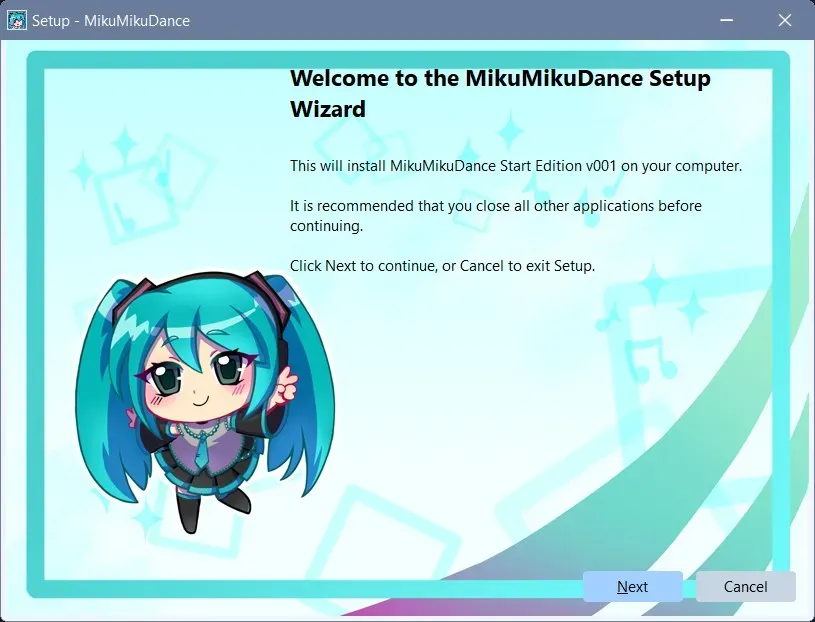
MmdStart is an innoSetup installer, very common and easy to use, click [Next]
The easiest way to install MikuMikuDance on Windows 11 & 10.
Download MmdStart 1.0.1 from GitHub Very fast!!
Installing MMD the traditional way means hunting down Visual C++ runtimes, DirectX, lots of download, dll installation,... one by one. MmdStart does all of that for you — in a single installer.
MmdStart : MikuMikuDance quick installation.
How to install MikuMikuDance MMD with MmdStart
Introduction and Download▶ 0:00
[0:0] I'm going to guide you through installing Miku Miku Dance MMD on your PC.
Go to MMDfr.fr, download MmdStart and select “keep” and always keep.
Choose the installer language and accept the license.
Options▶ 0:24
[0:24] You can select options. Go to this page.
There are models and demos of an Animasa style vocaloids.
The music from the first MMD dance during the presentation on Nikico video in Japan.
PMX editor, the tool for correcting and modifying PMX models.
Download the files and leave them in the download folder. There's no need to open them.
MmdStart will take care of installing them properly.
If you downloaded any options, they will appear here.
Microsoft library C++▶ 1:00
[1:00] Depending on your computer, Microsoft libraries will be installed, such as C++ 2008, 2010.
Microsoft Direct X 9▶ 1:16
[1:16] and especially Direct X9. This takes the longest, so be patient.
MMD and Icons▶ 1:26
[1:26] Next, MMD is installed. The icons are created, so please be patient. It finishes and launches MMD with a demo. All you have to do is press the play button.
Have fun▶ 2:11
[2:11] Have fun with MMD. Visit MMDfr.fr. I'll be adding tools and articles.
For installation questions, I just opened a Discord server.
For help with MMD, check out this page.
I've included links to Reddit and Discord.
Full video transcript
[0:0] Installation and Download
I'm going to guide you through installing Miku Miku Dance MMD on your PC.
Go to MMDfr.fr, download MmdStart and select “keep” and always keep.
Choose the installer language and accept the license.
[0:24] options
You can select options. Go to this page.
There are models and demos of an Animasa style vocaloids.
The music from the first MMD dance during the presentation on Nikico video in Japan.
PMX editor, the tool for correcting and modifying PMX models.
Download the files and leave them in the download folder. There's no need to open them.
MmdStart will take care of installing them properly.
If you downloaded any options, they will appear here.
[1:00] Microsoft C++ Library
Depending on your computer, Microsoft libraries will be installed, such as C++ 2008, 2010.
[1:16] Microsoft Direct X 9
and especially Direct X9. This takes the longest, so be patient.
[1:26] MMD and Icons
Next, MMD is installed. The icons are created, so please be patient. It finishes and launches MMD with a demo. All you have to do is press the play button.
[2:11] have fun
Have fun with MMD. Visit MMDfr.fr. I'll be adding tools and articles.
For installation questions, I just opened a Discord server.
For help with MMD, check out this page.
I've included links to Reddit and Discord.
What it installs
MmdStart automatically downloads and configures everything MMD needs to run:
| Component | Details |
|---|---|
| MikuMikuDance (MMD) | Latest version v9.32 — official English/Japanese release from Yu Higuchi 樋口優 |
| MMEffects (MME) | Latest version v0.37 — shader effects plugin from 舞力介入P |
| Visual C++ runtimes | Required by MMD, x64 official from Microsoft |
| DirectX 9 | Required by MMD, official from Microsoft (July 2024 updated) |
-
4 TDA-style models : Michou, Eleanor, Puce and Jade assembled and translated by MMDfr.
-
4 classic MMEffects to learn how to use special effects and shaders in MMD.
- Autoluminous4 by そぼろ sovoro
- KiraKira by ビームマンP BeammanP
- PowerDOF by 針金P / HariganeP
- WorkingFloorX : HariganeP
-
A basic stage for demonstration and beginners.
-
Some accessories to enhance your scene.
-
Optional v001:
- classic Animasa models, stages and demonstrations from the original MMD release.
- music wave from the first MMD animation show by Yu Higuchi on NicoNicoVideo
- PmxEditor v0273 English edition
-
Desktop and Start Menu shortcuts are created automatically.
-
.pmmfiles are associated with MMD for easy opening.
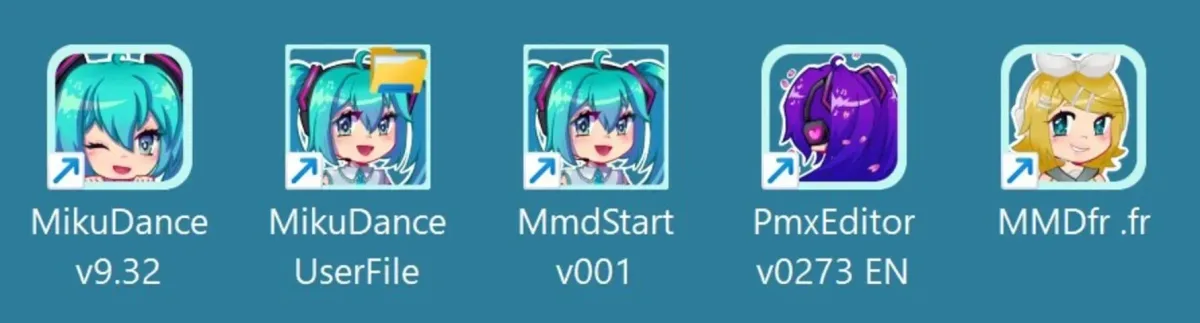
Beautiful icons made by artist @Yhozai
How it works
-
Download and run :
- Download MmdStart 1.0.1 from GitHub Very fast!!
- Download MmdStart 1.0.1
- Windows will ask for confirmation for download, keep, and open.
-
Accept the licence agreement
-
Choose your options: (open the web page and follow links )
- Download & install Animasa models and demonstrations (optional)
- Download & Install music for the demo motion (optional)
- Download & Install PmxEditor v0273 English
-
Click Install — everything is downloaded and configured automatically
-
MikuMikuDance launches with a built-in demonstration
-
Explore additional demonstrations (effects, stages, accessories)
No manual steps. No Japanese websites to navigate.
System requirements
- x86/64bits windows compatible computer (Intel or AMD) — does not run on ARM Windows, Linux, Android, or macOS.
- A keyboard is required (touch-only devices are not supported).
- Best experience with a 3-button mouse and scroll wheel.
| Minimum | Recommended | |
|---|---|---|
| OS | Windows 10 64-bit | Windows 11 64-bit |
| RAM | 4 GB | 8 GB or more |
| Disk (software) | 80 MB | 120 MB |
| Disk (projects) | — | 50 GB |
| CPU | Works on Pentium 4+, i3 / Ryzen 3 with integrated graphics | i5 / Ryzen 5 or better with dedicated Nvidia/AMD GPU |
| System | Basic x86 laptop | x86 gaming desktop |
FAQ - Frequently asked questions
Is it free?
Yes, completely free, no registration or ads.
Is it safe?
🛡️ Is MmdStart safe? Yes, 100%! * Direct Downloads: Only uses official links from Microsoft (for up-to-date runtimes) and the original creator's site for MMD & MME (VpVp). No sketchy third-party sites, no weird reloads or private mirrors. * Antivirus Approved: 100% flag-free and validated safe by Microsoft Defender. * Solid Tech: Powered by Inno Setup, a standard, ultra-reliable installation tool.
Should I disable my antivirus?
No — never disable your antivirus for any program. MmdStart is designed to install cleanly alongside your antivirus running at all times. If a program asks you to turn off your antivirus before installing, treat that as a serious red flag and do not proceed.
Does it replace MikuInstaller?
Yes. MmdStart is the new version of MikuInstaller (my first installer), rebuilt with Inno Setup for better compatibility and maintainability.
Does it work on 32-bit Windows?
No. MmdStart requires a 64-bit version of Windows 10 or 11.
Can I uninstall?
Yes. An uninstaller is available in C:\MMDfr. It removes all installed files except ones you have created or modified yourself.
Can I run the installer again to add options?
Yes, you can run MmdStart multiple times to add options. Note that removing previously installed options is not supported through the installer.
Created by
MMDFr.fr Team