 MMDFr.fr
UtVideo — Lossless Video Codecs for MikuMikuDance
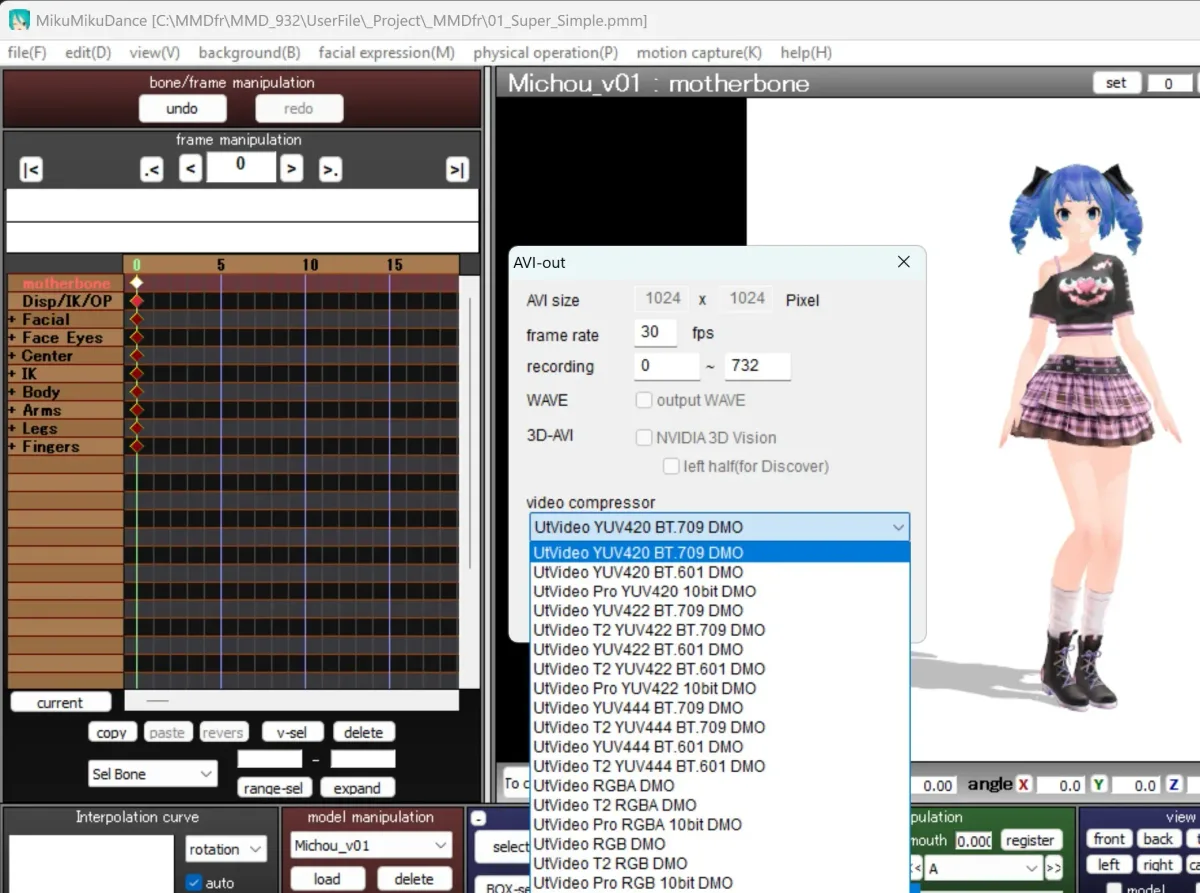
Choice of codecs in MikuMikuDance (after installing UtVideo ...)
Download UtVideo last version (GitHub)
- UtVideo is a series of codecs (video encoders) designed and maintained by UMEZAWA Takeshi (Japan).
- Thanks to these codecs, the generated videos are 10 times smaller than a raw AVI file, while fully retaining lossless quality.
- The version used is completely free and ad-free.
- This software is open-source and has been updated for over 18 years. It is primarily used for scientific devices (such as microscopes and telescopes), making it highly reliable.
Easy Installation
- Download and run the
utvideo-23.2.0-win.exefile. - The installation is very straightforward (the same type of installer as MmdStart).
- Restart MMD: The video compressor list will now be populated with the UtVideo codecs.
- Official UtVideo Website : github.com/umezawatakeshi/utvideo/
⚠️Advice: It is strongly recommended to avoid using other unknown codecs, as they are often breeding grounds for viruses and trojans.
Usage
When rendering your video (Render to AVI file), in the Video compressor selection dropdown, choose the first option: "UtVideo YUV420 BT.709 DMO".
Features
- Lossless: Absolutely no loss in video quality.
- Compatibility: Fully compatible with FFmpeg and Blender Video Editing.
- Editing-Friendly Format: Unlike MP4, it does not require heavy re-encoding. You can scrub forward or backward through the timeline smoothly without any lag.
- Convertible to MP4 using the MikuVideo software.
- Transparency Support: Features two RGBA versions that allow you to create video overlays with a transparent background (alpha channel).
- DirectX 9 Compatible: Works natively with MikuMikuDance.
FAQ - Frequently Asked Questions
Is it free?
Yes, it is completely free for personal use, with no registration or advertisements required. Only the PRO versions of some codecs are not free. We don't use them.
System requirement?
Windows 10 or 11 (x86/64-bit)